
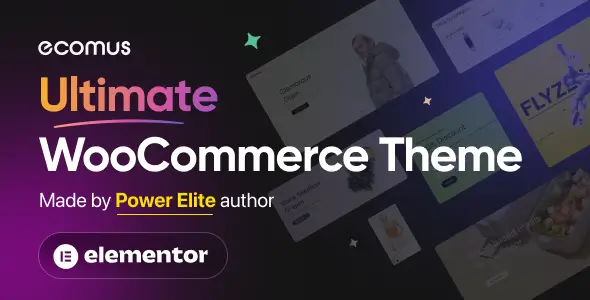
State: Unlimited Usage
$5.99
State: Unlimited Usage

Original GPL Package
We redistribute the original GPL-licensed package files. Nodub.com is an independent service and is not affiliated with the original developer or ThemeForest.
Technical Support
Expert help with any technical issue. Dedicated Nodub.com support is included. Official support from the original vendor is not included. Read our Support Policy.
Guarantees and Safety
100% safe, fully functional product. Completely risk-free for every customer. 14-day full money-back guarantee. Read our Refund Policy.
So, a client dropped a massive fashion store migration on my lap last week. We were moving away from an ancient, heavily bloated Flatsome setup. They wanted something “modern, fast, and conversion-focused,” so I ended up picking Ecomus. Honestly, I was dreading another multipurpose monster, but here we are.
Here’s my unfiltered take on the build after a week of wrestling with it.
I fired up the staging site, installed Ecomus, and immediately hit F12. The Network tab wasn’t the absolute horror show I expected, but it still loaded three different font weights for Google Fonts we weren’t even using.
I had to dig into Theme Panel -> Typography to kill the default loads. Eventually, I just got annoyed and dequeued their custom font handle entirely in my child theme’s functions.php because it kept overriding my local woff2 files. Typical theme behavior.
The builder integration is decent enough. You can tweak most colors and grid layouts right in the Customizer without wanting to pull your hair out.
But what really grinds my gears is how some of the mini-cart logic is hardcoded. If you want to change the AJAX add-to-cart behavior or the HTML structure of the drawer, you’re overriding woocommerce/cart/mini-cart.php manually. At least the template structure in Ecomus follows standard Woo conventions, so it didn’t take me hours to find the right hooks.
Of course, nothing works perfectly out of the box. I slapped WP Rocket on the staging server, turned on JS minification and deferral, and boom—product variation swatches completely died.
Checked the console: a massive Uncaught TypeError related to their custom variation script. I had to manually exclude ecomus-woocommerce.js from minification and stop delaying jquery-core to get the swatches working again. If you’re building with this template, keep a very close eye on your caching exclusions.
Let’s talk about the actual package. Ecomus is 100% GNU GPL compliant, which is a massive relief for agency work. You don’t need to mess around with annoying license keys just to get the premium features or import the demo data.
Everything is fully unlocked out of the box for unlimited website usage. Since there’s no active API key phoning home to a dev server, you just handle updates manually. I usually just grab the latest zip and upload it via Appearance -> Themes, or push the updated folder via FTP right before a production deployment. Clean, simple, and no dashboard nagging.
Mostly yes, but I noticed the dynamic related products block caches a bit too aggressively. You might need to manually flush the object cache after bulk-updating product taxonomies, otherwise, the frontend shows stale cross-sells.
It’s thick if you enable the quick-view and hover galleries. I counted over 1,500 nodes on a category page with just 24 products. Turn off the 3D hover effects and secondary image swaps if you want to pass Core Web Vitals.
Yes, but it breaks the mobile menu toggles and the cart icon. You have to dequeue the ecomus-icons handle and manually map your own SVG icons in header.php if you want to completely strip their font file from the load waterfall.
All products we provide come only from official sources and verified developers. To confirm their integrity and safety, the archive has been scanned for viruses and malware. You can review the scan results at any time by clicking the button below.
View in VirusTotalYou can use any product from our store on as many websites as you like.
Single purchase includes download access for 72 hours. Future version downloads require repurchase or an active membership.
Manual updates are available to customers with active access.
Yes, we do. In most cases, you can expect a reply within 24–72 business hours. For simpler issues, we’re often able to respond much sooner.
You can contact us via live chat or open a support ticket directly from the product page — whichever is more convenient for you.
No, there are no limits. We don’t believe in restricting downloads. If you need to download a product multiple times, that’s absolutely fine.
We use professional, high‑performance storage systems to ensure downloads are fast, stable, and hassle‑free.
No, license keys are not included or required. Because all items are distributed under the GNU General Public License (GPL), a license key is not necessary to access the software’s functionality.
All products you receive are fully authentic. The files are provided fully functional and optimized for immediate installation, allowing you to use them seamlessly right out of the box without any restrictions.
Yes — 100%. All products contain the original code and are legally redistributed under the GNU GPL v2/v3 license.
The main difference compared to purchasing directly from the original author is that we don’t offer premium author services, such as custom development or one‑on‑one technical support. Additionally, since the software is fully GPL-compliant, it is provided ready for use and can be freely installed on an unlimited number of websites.
Yes, we stand behind our products. If you encounter an issue that cannot be resolved or a technical problem without a workable solution, we’ll do our best to help — and if necessary, issue a full refund.
Please note that refunds are not available if the product works as described but simply does not meet personal expectations. We’ve also encountered cases where refund requests were made while the product was still in use, which we cannot allow.
Our approach is simple: fairness and transparency. If you ever have a concern, just reach out — we’re always open to finding a reasonable solution that works for both sides.


Reviews
There are no reviews yet.