
Unlimited usage
Unlimited usage
GNU GPL
Package security report
Use the VirusTotal report above to review the latest available scan.
$5.99
?Why is it cheaper?
The price covers independent GPL file access, checks, manual updates when available and Nodub support. It does not include an official vendor license key or vendor support.
Secure checkout. Download access is provided after successful payment.
Important: official vendor keys, official support and automatic vendor updates are not included.
Original GPL package
Original GPL-licensed package files, independently redistributed.
Nodub technical support
Independent help under the published support policy.
Guarantees and safety
Package checks and refund policy subject to published terms.
What the purchase includes
GPL package access, package checks, manual updates when available and independent Nodub support.
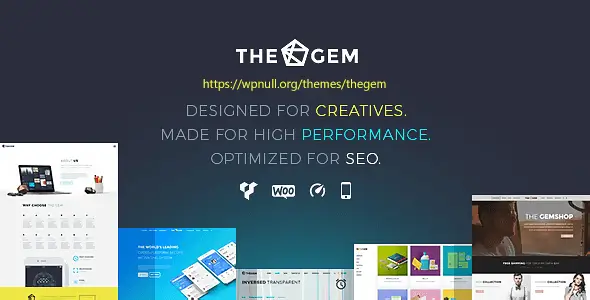
TheGem is a “Swiss-army” theme for agencies and freelancers who need to ship different types of sites fast: landing pages, portfolios, corporate, and WooCommerce stores. The value is in its template library and ready-made section blocks. You’re mostly assembling and tweaking, not building design systems from zero.
It’s also a theme with a lot of moving parts. If your goal is a lean custom build with minimal dependencies, you’ll spend time disabling features, trimming assets, and double-checking what loads on each page. For client work where speed matters more than purity, it’s a solid workflow.
[virustotal url=”https://www.virustotal.com/gui/file/f74335cc87a0288f960413ff25552f9b92fb32dd1198f5a8da2a2ea2f60b7a3a”]
Download the product archive with the latest update and install it over the existing version. If there is no previous version installed, the theme or plugin can be installed using the standard method. You can find detailed instructions on how to update a theme or plugin on this page.

Use Loco Translate or Poedit. The theme includes .pot files. For Elementor templates, translate via WPML/Polylang integration or duplicate templates per language.
Do manual updates: upload the new ZIP and replace files. Settings won’t reset. If you changed PHP templates, move those changes into a child theme before updating.
Yes. Install network-wide and activate per site. Just remember each site keeps its own theme options and builder templates, so don’t expect “one config to rule them all”.
You must be logged in to post a review.
Check the documentation first. If the issue remains, describe the exact action, result and error, and attach screenshots without passwords or private data.
You may use the GPL package on unlimited websites, subject to the GPL and any separately licensed assets or hosted services.
A single purchase includes download access for 72 hours. Later downloads require repurchase or active membership. Updates are installed manually.
No. Vendor license keys and services requiring vendor activation are not included.
Nodub provides independent support. Official developer support is not included.
During active access, downloads are not quantity-limited. Fair-use and account-security controls may apply.





Reviews
There are no reviews yet.