
WordPress Plugin

WordPress Plugin
GNU GPL
Unlimited websites
$5.99
Save —
One-time purchase
Secure checkout · Instant access
★★★★★
4.8
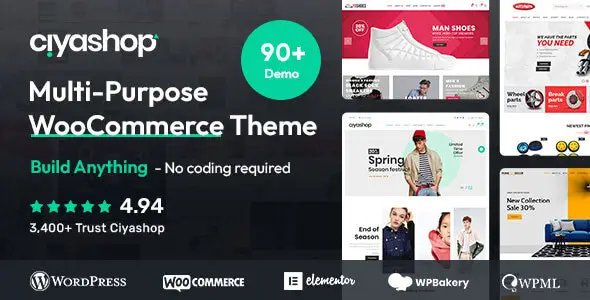
CiyaShop is a multipurpose WooCommerce theme built for “launch fast with a ready-made storefront” rather than “assemble everything from a lightweight base.” In practice, that means you’re buying a design system (layouts, header/footer builder, shop styling) plus a workflow (demo import, required plugins, theme options). It’s a good fit when you need a polished store quickly and you’re fine with the theme’s stack; it’s a poor fit if you want minimal dependencies and maximum long-term flexibility.
The technical center of gravity for any WooCommerce theme like this is template overrides. WooCommerce renders the shop using template files; many commercial themes ship their own copies under:
your-theme/woocommerce/…Those overrides change markup for product cards, category pages, cart/checkout fragments, etc. The tradeoff is straightforward: you gain the theme’s design, but you inherit maintenance work. When WooCommerce updates, it can mark some overrides as outdated (you can see this in WooCommerce → Status → Templates). If you run a frequently updated store, this is one of the first things to audit before and after updates.
Another practical detail: themes in this category commonly rely on a companion “core” plugin and a set of bundled/required plugins for page building, sliders, widgets, mega menu, and demo import. That affects:
What I’d check before committing (quick, concrete signals):
Common real-world failure modes and how to pinpoint them:
Operational best practices:
[virustotal url=”https://www.virustotal.com/gui/file/b2cafe374765bebeed4ccc0f47eb6316ffd09cd8c2f91dace974099040d13609″]
You can use any product from our store on as many websites as you like.
Single purchase includes download access for 72 hours. Future version downloads require repurchase or an active membership.
Manual updates are available to customers with active access.
Yes, we do. In most cases, you can expect a reply within 24–72 business hours. For simpler issues, we’re often able to respond much sooner.
You can contact us via live chat or open a support ticket directly from the product page — whichever is more convenient for you.
No, there are no limits. We don’t believe in restricting downloads. If you need to download a product multiple times, that’s absolutely fine.
We use professional, high‑performance storage systems to ensure downloads are fast, stable, and hassle‑free.
No, license keys are not included or required. Because all items are distributed under the GNU General Public License (GPL), a license key is not necessary to access the software’s functionality.
All products you receive are fully authentic. The files are provided fully functional and optimized for immediate installation, allowing you to use them seamlessly right out of the box without any restrictions.
Yes — 100%. All products contain the original code and are legally redistributed under the GNU GPL v2/v3 license.
The main difference compared to purchasing directly from the original author is that we don’t offer premium author services, such as custom development or one‑on‑one technical support. Additionally, since the software is fully GPL-compliant, it is provided ready for use and can be freely installed on an unlimited number of websites.
Yes, we stand behind our products. If you encounter an issue that cannot be resolved or a technical problem without a workable solution, we’ll do our best to help — and if necessary, issue a full refund.
Please note that refunds are not available if the product works as described but simply does not meet personal expectations. We’ve also encountered cases where refund requests were made while the product was still in use, which we cannot allow.
Our approach is simple: fairness and transparency. If you ever have a concern, just reach out — we’re always open to finding a reasonable solution that works for both sides.








Reviews
There are no reviews yet.