
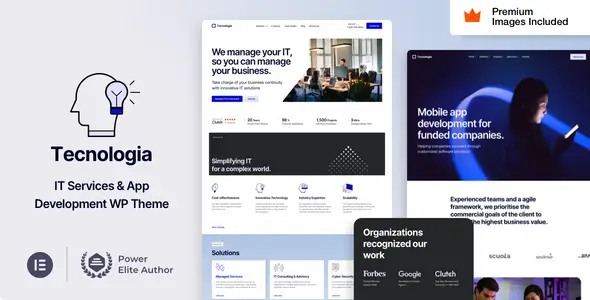
WordPress Plugin

WordPress Plugin
GNU GPL
Unlimited websites
$5.99
Save —
One-time purchase
Secure checkout · Instant access
★★★★★
4.8
I picked up Technologia for a small B2B SaaS site that had been rotting on an old WPBakery layout since 2018. The client wanted “modern startup vibes” and a pricing page that didn’t look like an invoice template. Fair enough.
The first import was smooth enough. Demo data came in from Technologia -> Demo Import, and Elementor didn’t scream immediately, which already puts Technologia above half the themes I touch on Fridays.
Most visible stuff is editable without spelunking through PHP. Logos, colors, button radius, header layout, footer columns — all under Technologia -> Theme Options and Appearance -> Customize.
Typography sits in Theme Options -> Typography, but I still had to clean it up. I opened DevTools, hit the Network tab, and saw Technologia pulling multiple Google font weights I never used: 300, 400, 500, 600, 700. Cute. I killed the extras in the typography panel and locally hosted the remaining fonts via my child theme.
The Elementor widgets are actually useful: service cards, tech stack blocks, pricing tables, testimonial sliders. Not revolutionary, but not garbage either. The Technologia Core plugin adds custom post types for Services, Projects, and Team, which saved me a boring afternoon.
The mobile menu annoyed me. On my setup, the hamburger worked until I delayed JS in WP Rocket. Then it silently died. Console showed a lazy little Uncaught TypeError from assets/js/main.js.
My fix was ugly but stable: exclude these handles from delay:
jquery-core
technologia-main
elementor-frontend
Also, do not combine the theme JS if you care about the testimonial slider. Swiper got moody on me.
The header CTA text was not fully controlled from Elementor. The visible button could be changed, sure, but one wrapper and ARIA label were coming from template-parts/header/header-default.php. Why? I have no idea. I patched it in the child theme instead of editing the parent like a caveman.
In the builder, Technologia lets you change hero sections, SaaS feature grids, pricing blocks, icons, team cards, and landing page spacing. Elementor handles that fine.
In Theme Options -> Header, you can change sticky header behavior, logo variants, top bar, and basic CTA values.
But if you want real control over markup, prepare coffee. I had to touch:
header.php
template-parts/header/header-default.php
template-parts/footer/footer-main.php
inc/classes/class-theme-setup.php
functions.php in the child theme
The CPT archive markup for services was too rigid for my taste. I overrode the archive template and added my own hook for schema output. Technologia is fine for layout work, but once SEO markup enters the room, the theme starts acting like it owns the place.
Fresh demo homepage was heavier than I wanted. DOM was around 1,940 nodes before I removed two animated sections and one pointless logo carousel. That carousel looked nice and did absolutely nothing for conversions.
Network showed CSS from Elementor, theme styles, icon fonts, Swiper, and a couple of animation libraries. I dequeued one animation file from the child theme because only three icons used it.
This is the kind of thing I hate: Technologia looks clean on the frontend, but underneath it ships with “just in case” assets. Classic WordPress theme behavior.
For colleagues asking: this Technologia package is 100% compliant with the GNU GPL. Keys are not needed in principle. Premium features, demo import, theme panels, and bundled functionality are available out of the box, fully unlocked, with Unlimited Website Usage.
The tradeoff is updates. Since there’s no key-based updater involved, I install updates manually. My routine is boring but safe: clone staging, upload the new zip through Appearance -> Themes -> Add New -> Upload Theme, compare modified templates in the child theme, then push via Git/FTP after a quick smoke test.
Never update this kind of theme directly on production unless you enjoy explaining white screens to clients.
Exclude jquery-core, technologia-main, and elementor-frontend from JS delay. Also avoid combining JS.
Basic cards, yes. Archive structure, no. Override the service archive template in a child theme.
Too many animated Elementor sections, sliders, and icon assets. Remove unused carousels first; that gave me the biggest win.
Yes, if you’re willing to clean assets, fix header quirks, and not trust demo pages blindly.
All products we provide come only from official sources and verified developers. To confirm their integrity and safety, the archive has been scanned for viruses and malware. You can review the scan results at any time by clicking the button below.
View in VirusTotalYou can use any product from our store on as many websites as you like.
Single purchase includes download access for 72 hours. Future version downloads require repurchase or an active membership.
Manual updates are available to customers with active access.
Yes, we do. In most cases, you can expect a reply within 24–72 business hours. For simpler issues, we’re often able to respond much sooner.
You can contact us via live chat or open a support ticket directly from the product page — whichever is more convenient for you.
No, there are no limits. We don’t believe in restricting downloads. If you need to download a product multiple times, that’s absolutely fine.
We use professional, high‑performance storage systems to ensure downloads are fast, stable, and hassle‑free.
No, license keys are not included or required. Because all items are distributed under the GNU General Public License (GPL), a license key is not necessary to access the software’s functionality.
All products you receive are fully authentic. The files are provided fully functional and optimized for immediate installation, allowing you to use them seamlessly right out of the box without any restrictions.
Yes — 100%. All products contain the original code and are legally redistributed under the GNU GPL v2/v3 license.
The main difference compared to purchasing directly from the original author is that we don’t offer premium author services, such as custom development or one‑on‑one technical support. Additionally, since the software is fully GPL-compliant, it is provided ready for use and can be freely installed on an unlimited number of websites.
Yes, we stand behind our products. If you encounter an issue that cannot be resolved or a technical problem without a workable solution, we’ll do our best to help — and if necessary, issue a full refund.
Please note that refunds are not available if the product works as described but simply does not meet personal expectations. We’ve also encountered cases where refund requests were made while the product was still in use, which we cannot allow.
Our approach is simple: fairness and transparency. If you ever have a concern, just reach out — we’re always open to finding a reasonable solution that works for both sides.





Reviews
There are no reviews yet.