
WordPress Plugin

WordPress Plugin
GNU GPL
Unlimited websites
$5.99
Save —
One-time purchase
Secure checkout · Instant access
★★★★★
4.8
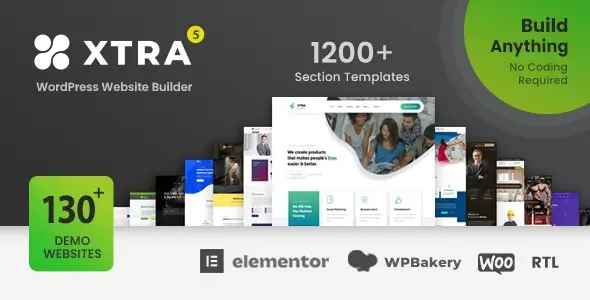
I’ve deployed themes like this on brochure sites, shops, RTL installs, and quick-turn landing stacks. Xtra fits teams that want a heavy visual toolkit, premade layouts, Woo blocks, and decent control without opening template files on day one.
It solves the usual agency job: launch fast, tweak in the builder, ship product grids, headers, popups, and multilingual layouts without stitching five extra addons together. The trade-off is obvious: more features means more assets, more panel options, and more ways to clash with cache or optimization plugins.
Most layout work happens in the theme options, header/footer builder, and template library, not in PHP files. Global settings sit in the database as serialized theme options; page-level changes live in post meta. That means exports are easy, but debugging often starts in wp_options and page meta before touching code.
Template overrides follow normal Woo rules: archive and single-product behavior can be affected by theme templates, builder templates, and Woo hooks at the same time. If something looks “ignored,” it’s usually not ignored — it’s being overridden later in the stack.
Assets are enqueued from the parent theme and bundled addons. After cache/minify, check DevTools Network for merged CSS/JS and Console for jQuery or variation-script errors. If product variations stop reacting, the usual culprit is delayed or minified Woo JS. The fast fix: exclude wc-add-to-cart-variation, jquery-core, and the theme frontend script from delay/defer in your cache plugin.
The first pain point is header or demo content mismatch after import. Root cause: required plugins were skipped, or imported builder data points to missing library items. Fix it in Appearance / Xtra and the importer screen first, then re-save permalinks and rebuild CSS if the theme panel has that option.
The second one is Woo fragments, filters, or quick view going weird under aggressive optimization. If cart counters freeze or filters half-render, disable JS delay for Woo handles, clear server cache, and test logged-out. In Console, watch for $ is not defined or variation errors. That is not a theme mystery; it is load order.
Parent theme edits are a trap. If you patch functions.php or template files directly, the next manual update wipes them. Use a child theme for PHP overrides; keep design edits in the builder or Customizer where possible.
This product runs without a key. Core theme functions, layouts, Woo templates, and RTL rendering work normally. Without activation, you typically lose automatic updates, vendor support, some cloud/library pulls, and sometimes one-click demo access depending on the package source.
For the product note you asked for: the supplied copy is activated and fully working, with no functional limits in the delivered package. Manual updates are straightforward: upload the new ZIP in Appearance / Themes or replace files via FTP. Risk is simple — any edits inside the parent theme get overwritten, so use a child theme.

Yes, but Woo JS must load cleanly. If variations or mini-cart fail, exclude Woo scripts from delay/minify first.
Use the theme builder/library and theme panel. PHP edits only for custom hook logic or hard overrides.
Yes. The theme runs. What usually drops off is auto-update flow, official support, and some remote library/demo features.
ZIP upload or FTP, then clear all caches and recheck product pages. Never customize the parent theme directly.
All products we provide come only from official sources and verified developers. To confirm their integrity and safety, the archive has been scanned for viruses and malware. You can review the scan results at any time by clicking the button below.
View in VirusTotalYou can use any product from our store on as many websites as you like.
Single purchase includes download access for 72 hours. Future version downloads require repurchase or an active membership.
Manual updates are available to customers with active access.
Yes, we do. In most cases, you can expect a reply within 24–72 business hours. For simpler issues, we’re often able to respond much sooner.
You can contact us via live chat or open a support ticket directly from the product page — whichever is more convenient for you.
No, there are no limits. We don’t believe in restricting downloads. If you need to download a product multiple times, that’s absolutely fine.
We use professional, high‑performance storage systems to ensure downloads are fast, stable, and hassle‑free.
No, license keys are not included or required. Because all items are distributed under the GNU General Public License (GPL), a license key is not necessary to access the software’s functionality.
All products you receive are fully authentic. The files are provided fully functional and optimized for immediate installation, allowing you to use them seamlessly right out of the box without any restrictions.
Yes — 100%. All products contain the original code and are legally redistributed under the GNU GPL v2/v3 license.
The main difference compared to purchasing directly from the original author is that we don’t offer premium author services, such as custom development or one‑on‑one technical support. Additionally, since the software is fully GPL-compliant, it is provided ready for use and can be freely installed on an unlimited number of websites.
Yes, we stand behind our products. If you encounter an issue that cannot be resolved or a technical problem without a workable solution, we’ll do our best to help — and if necessary, issue a full refund.
Please note that refunds are not available if the product works as described but simply does not meet personal expectations. We’ve also encountered cases where refund requests were made while the product was still in use, which we cannot allow.
Our approach is simple: fairness and transparency. If you ever have a concern, just reach out — we’re always open to finding a reasonable solution that works for both sides.








Reviews
There are no reviews yet.