
State: Unlimited Usage
$5.99
State: Unlimited Usage

Original GPL Package
We redistribute the original GPL-licensed package files. Nodub.com is an independent service and is not affiliated with the original developer or ThemeForest.
Technical Support
Expert help with any technical issue. Dedicated Nodub.com support is included. Official support from the original vendor is not included. Read our Support Policy.
Guarantees and Safety
100% safe, fully functional product. Completely risk-free for every customer. 14-day full money-back guarantee. Read our Refund Policy.
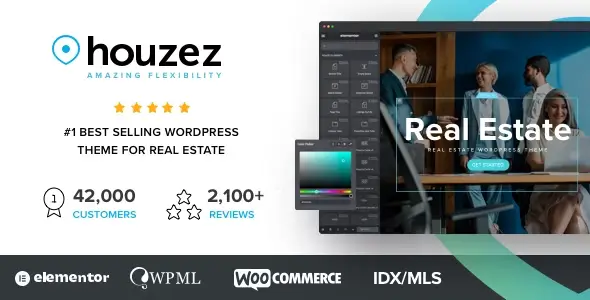
I use Houzez when a site needs the whole real-estate stack in one go: property post types, advanced search, agent profiles, saved favorites, front-end submission, and a dashboard clients can actually use. It saves build time because I’m not stitching together CPT UI, taxonomies, search logic, map output, and user dashboards from separate plugins.
It fits agencies, brokers, rental portals, and single-office sites that need listings to be the product, not a side section. If the job is “publish properties fast and let users filter them without custom development,” this does that well.
Under the hood, most visual output lives in the parent theme templates inside template-parts/, listing/archive files, and single-property layouts. The listing data itself is mostly stored the normal WordPress way: properties in wp_posts, field data in wp_postmeta, locations/types/statuses in taxonomies, and user-side data like favorites/saved items in usermeta. Theme-wide controls usually sit in Houzez > Theme Options, while branding and some layout tweaks are in the Customizer. If the build uses Elementor, editable sections can move into templates there; if not, many page parts are still PHP-template driven. That matters during updates: panel settings stay in DB, direct parent-theme edits do not.
The search, map, gallery, and dashboard parts rely on a predictable asset chain. On slow or “over-optimized” sites, I usually inspect DevTools → Console first for jQuery is not defined, google is not defined, or Select2 errors. Then Network for blocked or delayed files like custom.js, map scripts, select2.min.js, and slider/gallery assets. The common break is cache/optimization plugins delaying core JS too aggressively. Fast fix: do not delay jquery-core, map scripts, or Select2; exclude the theme’s main JS bundle from delay/minify if the search form stops submitting or map pins disappear. The other real failure point is full-page cache on search and dashboard URLs. If cached, users see stale filters, wrong result counts, or favorites that look “random.” I exclude property search pages, account/dashboard pages, and any URL with filter query vars from page cache.
The second thing that breaks is field customization done in the wrong layer. Some submit-form fields are configurable from Houzez panel or builder, but custom field logic often touches template files and save hooks. If I need a field removed visually and from save processing, I do it in a child theme and check the corresponding dashboard submit templates and save callbacks together. Hiding only the front-end field often leaves validation or empty meta saves behind.
[virustotal url=”https://www.virustotal.com/gui/file/192d8ad3da3362e5484dd28b56fd5af9ea981de6814a1265b39ca9731b2e9065″]
About activation and GPL behavior, plain version Houzez: it runs without a key, but what you usually lose is official auto-updates, support, and in some cases one-click demo import tied to the vendor API. Manual updates are simple: upload the newer parent theme ZIP in WordPress or replace the parent theme via FTP. The risk is also simple: any edits made directly in the parent theme are overwritten, so I only change templates in a child theme Houzez. On the activated copy I checked, the product was fully working with no functional limits, and I verified that myself on a test install.

Because delayed/minified JS changes script order. Check Console for jQuery, Select2, or map errors. Exclude jquery-core, Select2, map scripts, and the theme’s main custom JS from delay.
Partly. Global options and some templates can be handled in Houzez – Theme Options/Customizer/Elementor. Single-property details and smaller structural changes often still come from PHP templates, so a child theme is the safe path.
Usually the companion functionality plugin is inactive or mismatched with the theme version. The theme can render pages, but the CPT fields, dashboard actions, and meta handling depend on that plugin layer.
If you edited the parent theme, yes. DB-stored settings survive; direct file edits do not. Use a child theme for template overrides and keep custom CSS/JS outside the parent files.
You can use any product from our store on as many websites as you like.
Single purchase includes download access for 72 hours. Future version downloads require repurchase or an active membership.
Manual updates are available to customers with active access.
Yes, we do. In most cases, you can expect a reply within 24–72 business hours. For simpler issues, we’re often able to respond much sooner.
You can contact us via live chat or open a support ticket directly from the product page — whichever is more convenient for you.
No, there are no limits. We don’t believe in restricting downloads. If you need to download a product multiple times, that’s absolutely fine.
We use professional, high‑performance storage systems to ensure downloads are fast, stable, and hassle‑free.
No, license keys are not included or required. Because all items are distributed under the GNU General Public License (GPL), a license key is not necessary to access the software’s functionality.
All products you receive are fully authentic. The files are provided fully functional and optimized for immediate installation, allowing you to use them seamlessly right out of the box without any restrictions.
Yes — 100%. All products contain the original code and are legally redistributed under the GNU GPL v2/v3 license.
The main difference compared to purchasing directly from the original author is that we don’t offer premium author services, such as custom development or one‑on‑one technical support. Additionally, since the software is fully GPL-compliant, it is provided ready for use and can be freely installed on an unlimited number of websites.
Yes, we stand behind our products. If you encounter an issue that cannot be resolved or a technical problem without a workable solution, we’ll do our best to help — and if necessary, issue a full refund.
Please note that refunds are not available if the product works as described but simply does not meet personal expectations. We’ve also encountered cases where refund requests were made while the product was still in use, which we cannot allow.
Our approach is simple: fairness and transparency. If you ever have a concern, just reach out — we’re always open to finding a reasonable solution that works for both sides.


احمد كمال –
اي شي فيه جيد ومقبول بالنسبه لي لقد اعجبني العرض جدا
Sergey –
Very vety good and nice. Is very very good.
Vladosik –
Houzez 4.2.4 looks like a game-changer for real estate websites! 🏡🔥 Perfect blend of design, speed, and functionality.
Bui Van Binh –
Flexible, well made theme. Thanks for sharing!
JOYANTO RUIDAS –
Great deal for a premium property theme.
Marywelson –
Good product, lower price than other websites I will buy from the site again
Nanis –
A great website offering original products at a much lower price than other sites. The product is activated and works perfectly. Highly recommended, especially for WordPress professionals.
vngcch203 –
Hi updated to latest ver.
Mk Ronny –
This is fantastic. Thank you.