
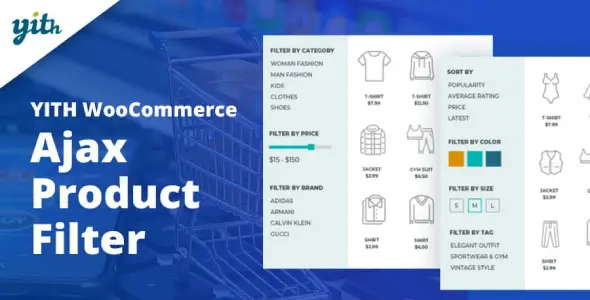
WordPress Plugin

WordPress Plugin
GNU GPL
Unlimited websites
$5.99
Save —
One-time purchase
Secure checkout · Instant access
★★★★★
4.8
I’ve installed YITH Ajax Product Filter on enough WooCommerce shops to know one thing: when it works, it feels like cheating. When it doesn’t, it’s usually because the theme author decided WooCommerce templates are “just suggestions”. Lovely.
On my last setup, YITH Ajax Product Filter was running on a fairly ugly stack: Elementor archive template, WP Rocket, WooCommerce variation swatches, and a theme that had overwritten half of archive-product.php. What could possibly go wrong?
The good part: filters by attributes, categories, tags, stock status, price, rating — all the usual stuff — are actually clean to configure. You go to:
YITH -> Ajax Product Filter -> Presets
Create a preset, add filters, then drop the shortcode into the sidebar or builder area:
[yith_wcan_filters slug="shop-sidebar"]
No “magic widget from 2016” nonsense unless you’re dealing with an older site.
The best thing about YITH Ajax Product Filter is that it doesn’t force a full page reload every time someone clicks “Black / XL / In stock”. On a big catalog, that’s not a cute feature — that’s survival.
I opened DevTools -> Network and watched the filter requests. The plugin was sending AJAX calls properly, updating the product loop, pagination, and active filters without nuking the whole page. On a clean Storefront child theme, YITH Ajax Product Filter was boringly reliable. I love boring. Boring means I can go drink coffee instead of reading minified JavaScript at midnight.
The admin side is also decent. Filters are managed from the YITH panel, not buried in random Customizer sections. You can change labels, dropdowns, checkboxes, color swatches, search fields, and reset buttons without touching PHP.
Here’s where YITH Ajax Product Filter starts throwing chairs: custom shop templates.
If your theme has overridden:
wp-content/themes/your-theme/woocommerce/archive-product.php
wp-content/themes/your-theme/woocommerce/content-product.php
wp-content/themes/your-theme/woocommerce/loop/loop-start.php
then don’t blame the plugin immediately.
One client theme had removed woocommerce_before_shop_loop and wrapped the products in a random <div class="products-grid-super-new">. AJAX refreshed the query, but the DOM target was wrong, so the old products stayed there like ghosts.
My ugly fix was adding a normal WooCommerce wrapper back into the child theme:
<div class="woocommerce yith-filter-target">
    <?php woocommerce_product_loop_start(); ?>
and then making sure the product loop used the default WooCommerce hooks again. Not elegant. Effective.
With WP Rocket, YITH Ajax Product Filter mostly survived, but only after I stopped delaying jQuery. In WP Rocket:
Settings -> WP Rocket -> File Optimization
I had to exclude these from Delay JavaScript Execution:
jquery-core
jquery-migrate
wc-add-to-cart
wc-add-to-cart-variation
yith-wcan-frontend
If I didn’t, variable products broke after filtering. Console showed the classic garbage:
Uncaught TypeError: $(...).wc_variation_form is not a function
I absolutely hate this one because the filter plugin gets blamed, while the real criminal is delayed WooCommerce JS.
With LiteSpeed Cache, same idea:
Page Optimization -> JS Settings -> JS Excludes
Add the YITH frontend handle and Woo variation scripts. Don’t be brave. Brave people break checkout.
Inside YITH Ajax Product Filter, you can safely change filter layout, labels, toggle style, reset button behavior, and whether terms with no products are hidden. That lives in:
YITH -> Ajax Product Filter -> Presets
WooCommerce attribute data still comes from:
Products -> Attributes
and terms are stored in the usual WordPress tables:
wp_terms
wp_term_taxonomy
wp_term_relationships
Product attribute lookup can also depend on WooCommerce’s table:
wp_wc_product_attributes_lookup
If filters look wrong after bulk imports, run:
WooCommerce -> Status -> Tools -> Regenerate product lookup tables
What you cannot fix nicely from admin: bad archive markup, hardcoded sidebars, lazy-loaded product containers, or themes replacing the main query in functions.php with some heroic pre_get_posts disaster.
For that, I usually check:
functions.php
woocommerce/archive-product.php
inc/class-theme-setup.php
template-parts/shop/*.php
I tested YITH Ajax Product Filter on my own dev installs and it was fully working, no feature limits, Unlimited Website Usage in the GPL sense. Simple as that.
If you use the official premium version, you activate it with your YITH license key and get dashboard updates. If you’re using a GPL package without vendor licensing, the plugin still runs, but updates are manual: download the newer ZIP, upload it via Plugins -> Add New -> Upload Plugin, replace the old version, clear cache, then test filters.
No, you don’t need a license key just to make the filters execute. You need it for official updates/support.
Regenerate Woo lookup tables: WooCommerce -> Status -> Tools -> Regenerate product lookup tables. Also check attribute terms are actually assigned, not just written as custom text.
Your theme probably moves the sidebar with JS. Put the shortcode inside the mobile off-canvas template, not only in the desktop sidebar.
Exclude wc-add-to-cart-variation.js, jquery-core, and yith-wcan-frontend from JS delay/minify. Check Console before blaming the plugin.
Yes. Use child theme CSS. Never edit plugin files unless you enjoy losing changes during updates.
All products we provide come only from official sources and verified developers. To confirm their integrity and safety, the archive has been scanned for viruses and malware. You can review the scan results at any time by clicking the button below.
View in VirusTotalYou can use any product from our store on as many websites as you like.
Single purchase includes download access for 72 hours. Future version downloads require repurchase or an active membership.
Manual updates are available to customers with active access.
Yes, we do. In most cases, you can expect a reply within 24–72 business hours. For simpler issues, we’re often able to respond much sooner.
You can contact us via live chat or open a support ticket directly from the product page — whichever is more convenient for you.
No, there are no limits. We don’t believe in restricting downloads. If you need to download a product multiple times, that’s absolutely fine.
We use professional, high‑performance storage systems to ensure downloads are fast, stable, and hassle‑free.
No, license keys are not included or required. Because all items are distributed under the GNU General Public License (GPL), a license key is not necessary to access the software’s functionality.
All products you receive are fully authentic. The files are provided fully functional and optimized for immediate installation, allowing you to use them seamlessly right out of the box without any restrictions.
Yes — 100%. All products contain the original code and are legally redistributed under the GNU GPL v2/v3 license.
The main difference compared to purchasing directly from the original author is that we don’t offer premium author services, such as custom development or one‑on‑one technical support. Additionally, since the software is fully GPL-compliant, it is provided ready for use and can be freely installed on an unlimited number of websites.
Yes, we stand behind our products. If you encounter an issue that cannot be resolved or a technical problem without a workable solution, we’ll do our best to help — and if necessary, issue a full refund.
Please note that refunds are not available if the product works as described but simply does not meet personal expectations. We’ve also encountered cases where refund requests were made while the product was still in use, which we cannot allow.
Our approach is simple: fairness and transparency. If you ever have a concern, just reach out — we’re always open to finding a reasonable solution that works for both sides.







Reviews
There are no reviews yet.